Subsure
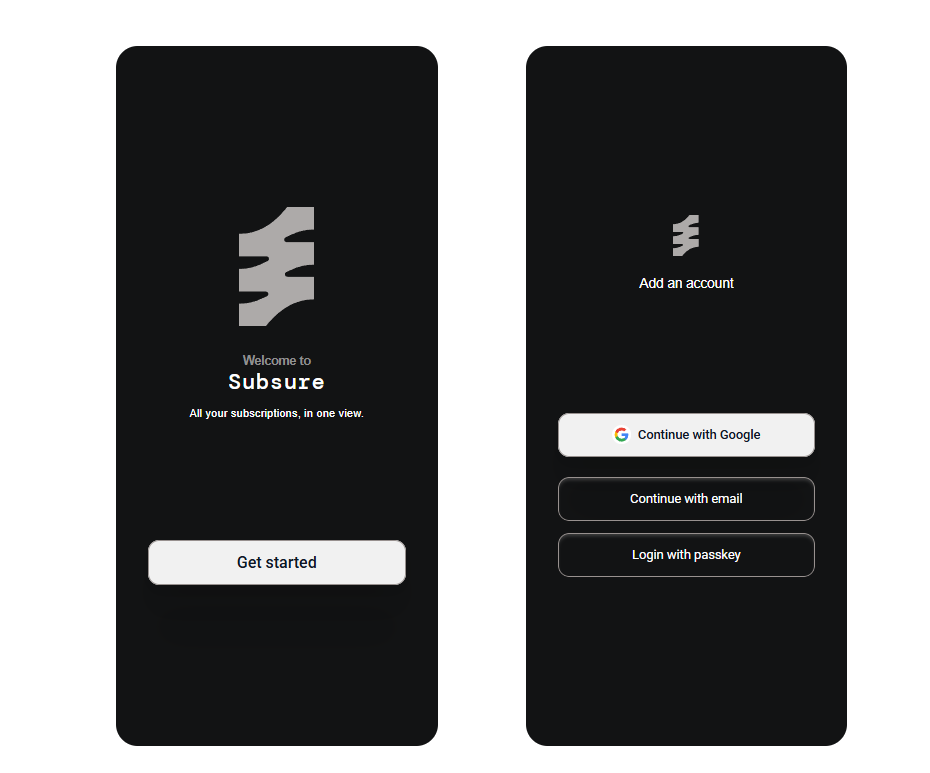
All your subscriptions, in one view
Overview
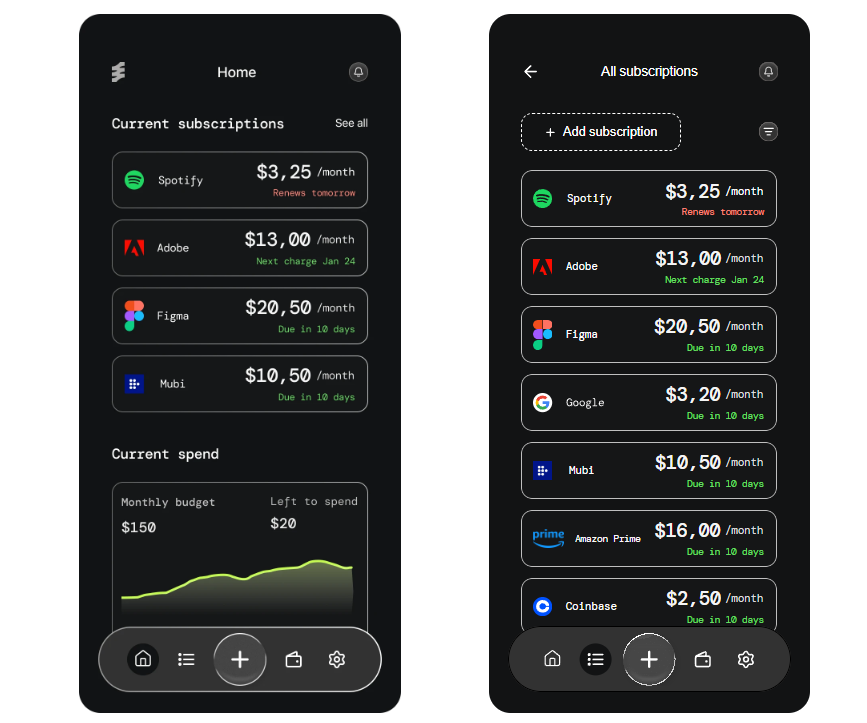
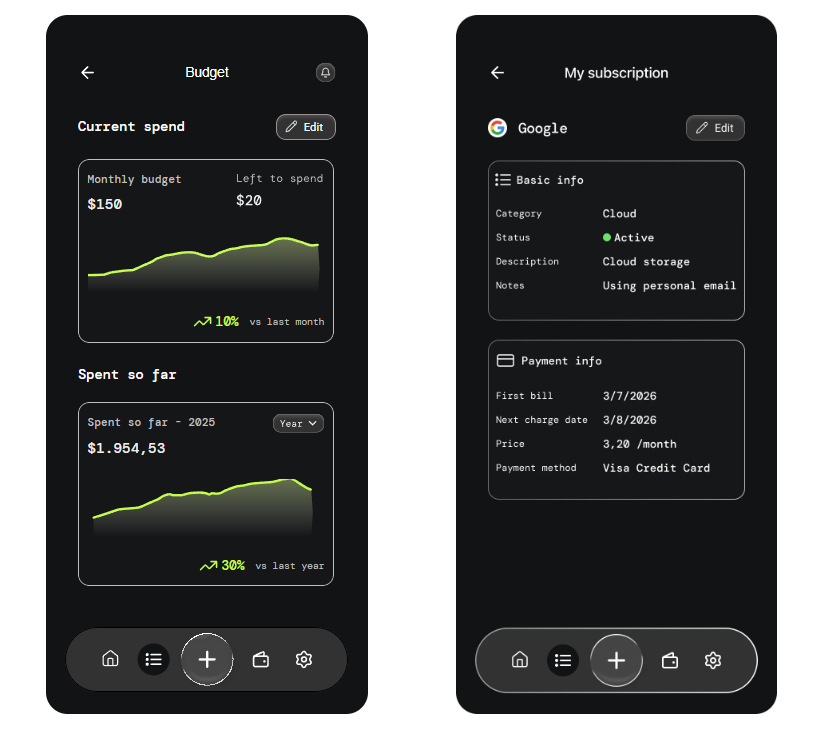
Subscription Tracker is a mobile-first concept designed to help users manage recurring payments in one place. The app lets users quickly review subscriptions, understand upcoming charges, and access cancellation actions with a clearer, more organized interface.
Problem statement
Users need a simple way to track recurring subscriptions, understand upcoming payments, and manage cancellations without relying on fragmented financial tools. Current solutions either lack clarity or overwhelm users with unnecessary complexity.
Research approach
- Reviewed existing subscription-management apps to compare common patterns and features
- Identified recurring pain points such as forgotten trials, unclear renewal dates, and difficult cancellation flows
- Looked at how users typically organize recurring expenses across banking apps, notes, reminders, and spreadsheets
Key findings
- Users want to see all subscriptions in one place rather than jumping between multiple apps and bank statements.
- Users need a clear view of upcoming charges so they can avoid surprises.
- People want to know whether a charge is actually a subscription and whether the app is accurate.
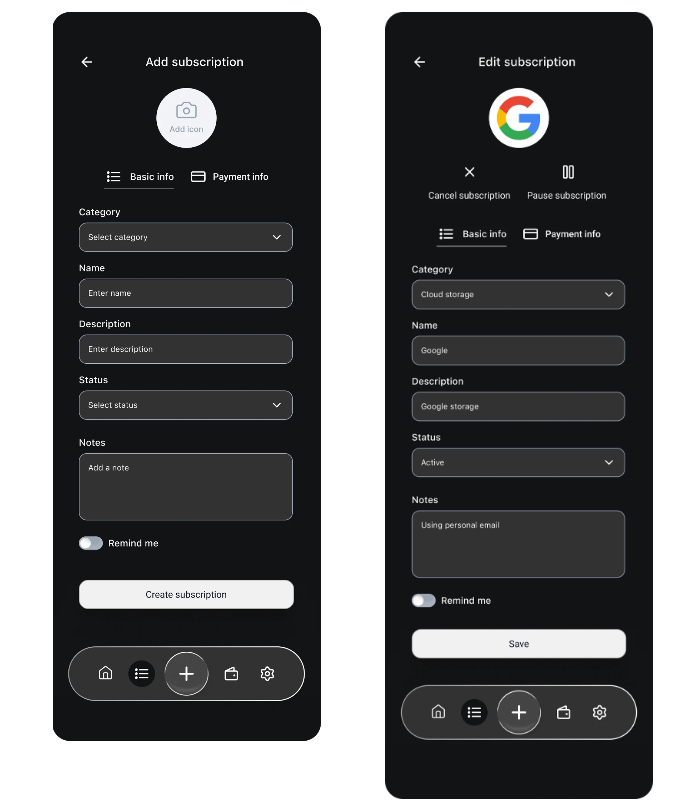
- Cancellation and editing actions should be easy to find, not hidden.
- A simple, uncluttered dashboard is essential because users usually check this information quickly.
User research
To better understand how people manage subscriptions, I combined secondary research with product benchmarking and user pain-point analysis. The goal was to identify the most common frustrations around recurring payments, cancellation flows, and subscription visibility.
“I just want to know what I’m paying for before my card gets hit again.”
User persona
Background
Valeria uses several digital subscriptions for work and personal life: streaming, cloud storage, design tools, food delivery, and fitness apps. She usually signs up for free trials or monthly plans, then forgets about them until her card gets charged. She wants to stay in control of her recurring expenses without spending too much time managing them.
Goals
- See all subscriptions in one place
- Know how much she spends monthly
- Catch trial endings and upcoming renewals
- Cancel or manage subscriptions quickly
- Avoid surprise charges
Pain points
- Bank statements are hard to scan
- Subscription charges are often hidden or mislabeled
- She forgets about free trials
- Canceling subscriptions is often annoying and unclear
- She does not want to manually track everything in a spreadsheet.
Needs
- Automatic detection of recurring payments
- Clear monthly total
- Upcoming payment alerts
- Simple cancellation access
- Trustworthy categorization and labels
User needs
- See all subscriptions in one place
- Know what is recurring vs one-time
- Understand upcoming costs quickly
- Cancel or manage subscriptions easily
- Control and flexibility
- Reminders and alerts
- Simple organization
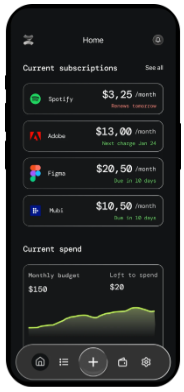
User journey mapping
| Stage | User goal | Actions | Pain points | Emotions | Design opportunities |
|---|---|---|---|---|---|
| 1. Awareness | Realize she is spending too much on subscriptions | Notices a bank charge she does not remember | Subscription costs feel scattered and unclear | Confused, anxious | Surface monthly total and recurring charges clearly |
| 2. Discovery | Find a tool to manage subscriptions | Looks for an app or starts using the product | Unsure whether the app can detect all subscriptions accurately | Hopeful, cautious | Strong onboarding that explains how the app works |
| 3. Onboarding / Setup | Connect accounts or add subscriptions | Links bank account or enters subscriptions manually | Setup may feel too long or too invasive | Slightly impatient | Progressive onboarding, trust messaging, optional manual entry |
| 4. Review dashboard | See everything in one place | Scans subscriptions, upcoming payments, and totals | Too much data at once can be overwhelming | Relieved if clear, frustrated if cluttered | Clear hierarchy, filters, summary cards |
| 5. Manage subscriptions | Cancel or manage subscriptions | Opens a subscription, reviews details, cancels or edits it | Cancellation flows are often confusing or hidden | Determined, skeptical | Simple action buttons, clear state changes, confirmation steps |
| 6. Ongoing use | Stay informed over time | Checks alerts, renewal reminders, and monthly spend | Forgetting to check can lead to surprise charges again | More in control | Reminders, alerts, and digest summaries |
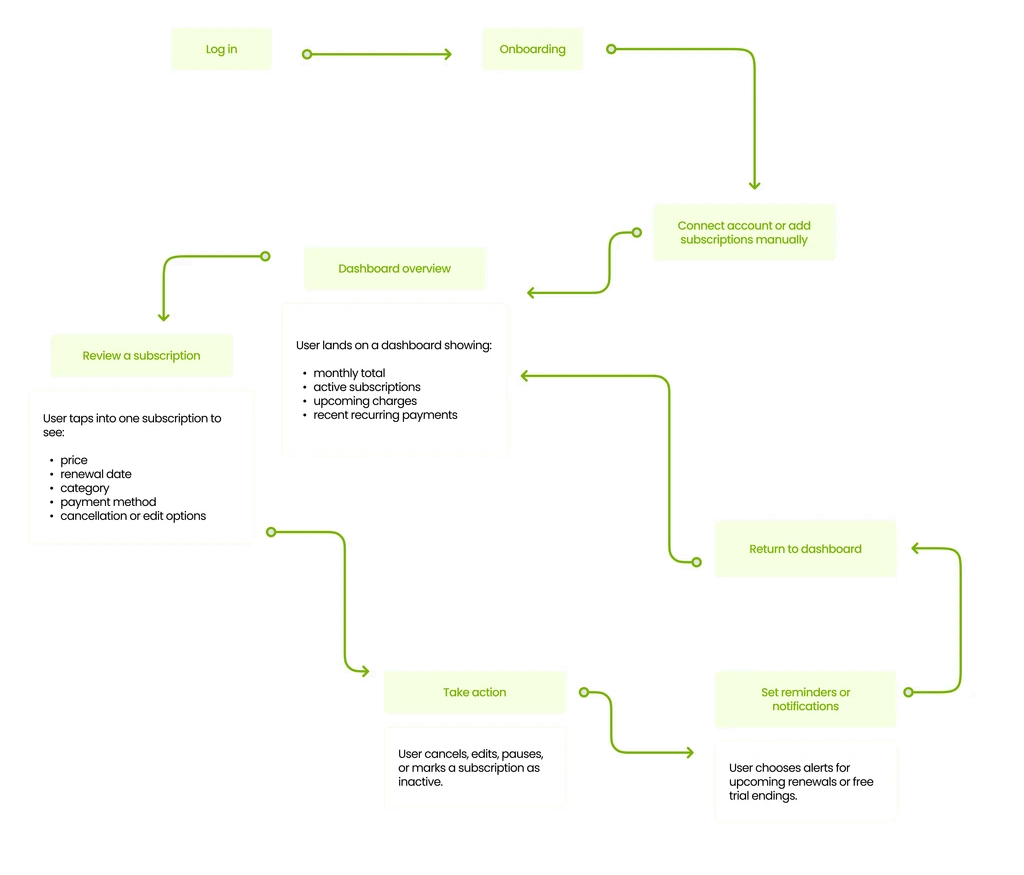
User flow
Benchmarking
| App | Positioning | Subscription handling | Strengths | UX trade-offs to note |
|---|---|---|---|---|
| Rocket Money | All-in-one personal finance app with subscription cancellation, budgeting, spending, credit, and net worth tracking. | Connects bank/credit card accounts, automatically detects recurring charges, and lets Premium members cancel subscriptions in a few taps. | Strong “find and cancel” value proposition; good for users who want subscriptions inside a broader money app. | Feels broader than a pure subscription tool, so the subscription flow has to compete with many other finance features. |
| Monarch Money | Full finance app with budgeting, reports, goals, partner sharing, and recurring/subscription tracking across web, iOS, and Android. | Automatically detects recurring subscriptions, shows bills and subscriptions in calendar/list views, and adds reminders. | Strong hierarchy and organization around recurring items; good for showing dashboards and calendar/list switching. | More of a full finance ecosystem than a focused tracker, so the recurring-payments feature is one part of a larger product. |
| Emma | Budgeting app that tracks bills and subscriptions, with recurring-payment features and account connectivity. | Tracks subscriptions and bills in one place, detects recurring payments, and includes cancellation actions for unwanted subscriptions. | Clear subscription-centric language and strong recurring-payment framing, which is useful for a product concept focused on visibility and control. | The product also spans budgeting and broader money-management features, so the tracker competes with adjacent finance tasks. |
| Trim | Money-saving app that tracks spending, manages budgets, and helps monitor/cancel subscriptions. | Analyzes connected transactions to identify subscriptions automatically and can monitor/cancel unwanted subscriptions. | Strong for automation and “do the work for me” behavior; good reference for a low-effort, high-reassurance UX. | There is less public detail on the current interface than for Rocket Money or Monarch. |
Low & high fidelity wireframes